 Chalka
Alarm apps that make you do push-ups
Updated · App facts checked on the US App Store on 5 November 2026
Yes, there are iPhone alarms that won’t stop until you’ve done your push-ups. We found six that count the reps with the camera before the alarm goes quiet. They differ in the exercises they accept, what happens if you tap stop, the iPhones they run on, and what they cost.

Chalka, the workout alarm for iPhone.
At a glance
| App | Exercises | If you tap stop | Runs on |
|---|---|---|---|
| Chalka | Push-ups, squats or jumping jacks, or a 5-minute workout | Rings again 3 minutes later, for up to 30 minutes | iOS 26 and later |
| PushClock | Push-ups, squats, sit-ups, jumping jacks, high knees, and non-exercise missions | Rings again seconds later until the mission is done | iOS 26 and later |
| Pushy | Push-ups, sit-ups, knee push-ups; its latest update adds squats | No snooze button | iOS 15.5 and later |
| IronWake | Squats, jumps, push-ups, planks, jumping jacks, sit-ups | Stays on until the exercise is done | iOS 26.1 and later |
| Rise & Grind | Push-ups, 5 to 50 | A Hold to Override control appears after two minutes and ends it as an abandoned attempt | iOS 26 and later |
| RiseReps | Push-ups, squats, jumping jacks | No snooze button; rings again until the reps are done, with a weekly emergency exit | iOS 17 and later |
How does a push-up alarm work?
A push-up alarm stops only after the iPhone’s camera has counted your push-ups. You pick a time and a number of reps the night before. When it rings, you put the phone on the floor in front of you, and each full rep raises the count until the set is done and the alarm goes quiet.
To tell a full rep from a half one, the app follows your joints. Chalka, for example, counts with Apple’s body pose detection, which tracks up to 19 points on the body, and a rep only counts once you pass the bottom and come back up.
Whether an alarm rings out loud on silent depends on how the app sets it. Since iOS 26, Apple’s AlarmKit lets an app set a real alarm that breaks through silent mode and Focus, once you allow alarms for that app. Try any new alarm app on a morning that doesn’t matter first.
The apps
We make Chalka, so it’s first. The others follow in order of how many ratings they have on the US App Store.
Chalka
Chalka’s morning alarm rings until you do your set: push-ups, squats or jumping jacks, or a five-minute workout such as Morning 5. Tap Start my set, prop up the phone, and the camera draws a skeleton over you and counts each full rep; a shallow one shows “Go lower” and doesn’t count. Tap Stop instead and it rings again three minutes later, for up to 30 minutes, until the set is done.
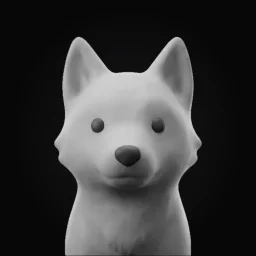
The set doesn’t end with the alarm. Each rep earns XP (10 for a push-up) toward a daily goal, levels and 20 coins, and Chalk, a clay wolf pup, grows a little every day you train.
Good for: making the morning set the start of a daily training habit, not only a way out of bed.
Keep in mind: iPhone only, with iOS 26 or later. It works with Chalka Pro, a subscription, after a 3-day free trial on the yearly plan. It’s new, so it has no ratings yet.
Free download; needs Chalka Pro: $49.99 a year with a 3-day free trial, or $7.99 a month. Chalka on the App Store
PushClock
PushClock offers more than 25 kinds of wake-up mission. The exercise ones are counted by the camera: push-ups, squats, sit-ups, jumping jacks and high knees, plus a plank, a squat hold and dance. There are also steps, shaking the phone, and photos checked by AI, and you can chain them; its listing gives the example of 10 push-ups, then a math problem, then a photo of your made bed. Tap stop and it rings again seconds later until the mission is done.
It can also keep chosen apps blocked from bedtime until you’ve finished.
Good for: mixing exercise with other tasks, with plenty of settings.
Keep in mind: with that much choice, it takes longer to set up than a single-exercise alarm, and its listing says it needs an active subscription.
Free download; needs PushClock Pro, for example $29.99 a year, $9.99 a month or $6.99 a week. PushClock on the App Store
Pushy
Pushy does one thing: the only way to dismiss the alarm is to do push-ups on camera. It also accepts sit-ups and knee push-ups, and its latest update notes add squat counting, public leaderboards and optional cloud sync. There’s no snooze button, by design, so it can’t be switched off from bed.
Good for: older iPhones, since it runs on iOS 15.5 and later, and anyone who wants the strictest alarm here.
Keep in mind: with no snooze at all, test it first on a day you can afford to be late.
Free download with Pushy Pro, for example $29.99 a year or $9.99 a month. Pushy on the App Store
IronWake
When IronWake rings, the camera turns on and you complete the exercise you chose: squats, jumps, push-ups, planks, jumping jacks or sit-ups. Its pose detection confirms each rep before the alarm turns off.
Good for: a choice of exercises, including a plank if push-ups are hard first thing.
Keep in mind: its listing says a subscription is required for full access, and it needs iOS 26.1.
Free download; a subscription unlocks full access, for example $29.99 a year or $9.99 a month. IronWake on the App Store
Rise & Grind
Rise & Grind is a push-up alarm only. You set 5 to 50 reps, and an on-device camera counter with a skeleton overlay counts them. Your first one-time alarm is free, and an abandoned attempt doesn’t use it up. If you can’t finish, a Hold to Override control appears after two minutes; holding it for eight seconds ends the alarm as an abandoned attempt.
Good for: trying a push-up alarm on a real morning before paying for one.
Keep in mind: repeat alarms need Rise & Grind Pro, and push-ups are the only exercise listed.
First one-time alarm free; then Rise & Grind Pro, $9.99 a month or $29.99 a year after a 7-day free trial. Rise & Grind on the App Store
RiseReps
RiseReps rings until you do push-ups, squats or jumping jacks, checked by the camera, with no snooze button. The number of reps grows each week, and an optional Full Lockdown keeps distracting apps blocked (up to three hours) until your reps are done, using Apple’s Screen Time controls. A weekly emergency exit and a switch to squats are there if push-ups aren’t counting.
Good for: pairing the alarm with an app block, with a way out when you need one.
Keep in mind: it’s new, with only a handful of ratings so far, and RiseReps Pro is now a single annual plan.
Free download; RiseReps Pro is an annual subscription, for example $29.99 a year. RiseReps on the App Store
Rizen and Wake10 take push-ups too, alongside other exercises; they’re in our list of the best workout alarm clock apps. For PushClock side by side with Chalka, see Chalka vs PushClock.
Which push-up alarm should you choose?
Choose on four things: whether it takes another exercise when push-ups feel hard first thing, how strict its stop button is, which iOS version it needs, and what the set leads to afterwards. All six are free to download and most need a subscription, so try one on real mornings before any trial renews.
- Your body first thing. If your wrists or shoulders are stiff in the morning, pick one that also takes squats or jumping jacks: Chalka, IronWake, PushClock or RiseReps.
- Strict or forgiving. Pushy and RiseReps have no snooze button. Chalka and PushClock let you tap stop, then keep ringing until the set is done.
- Your iPhone. Four of the six need iOS 26 or later. Pushy runs from iOS 15.5 and RiseReps from iOS 17.
- What happens after. Most end when the set does. Chalka counts the reps toward XP, levels and a streak; RiseReps raises the reps each week.
- Price. Five of the six list a $29.99 yearly plan in the US; Chalka’s is $49.99 and starts with a 3-day trial. Rise & Grind lets you try one alarm free first.
How do you set up a push-up alarm so every rep counts?
Give the camera a clear view. Clear a patch of floor by the bed the night before, put the phone in front of you with the light facing you rather than behind, and do full reps, chest close to the floor and arms straight at the top. Camera counters skip half reps.
- A dark room or a bright window at your back makes you harder to see, so switch on the main light first.
- Keep the phone charged and the volume up, and keep a second alarm for anything you can’t miss, like a flight.
- Try the alarm once on a weekend morning before you rely on it.
How to do it in Chalka
- Open Chalka and tap the alarm time at the top of Home.
- Choose the time and the days.
- Under Morning set, choose the exercise, or a short workout such as Morning 5.
- Tap Save alarm. The first time, iOS asks whether Chalka may set alarms: allow it, so it rings through silent mode.
- When it rings, tap Start my set, put the phone on the floor in front of you, and do the set.
Questions
Is there an alarm that makes you do push-ups to turn it off?
Yes. Chalka, PushClock, Pushy, IronWake, Rise & Grind and RiseReps all count push-ups with the iPhone’s camera before the alarm stops. Most also accept other exercises, such as squats or jumping jacks.
Is there a free alarm app that makes you do push-ups?
All six are free to download, but most need a subscription for regular use. Rise & Grind gives you your first one-time alarm free, and Chalka’s yearly plan starts with a 3-day free trial; check each listing for its own terms.
Can the camera tell if I do half reps?
Camera counters follow your joints, so a rep only counts when you go down and come back up far enough. In Chalka, a rep that’s too shallow shows “Go lower” and doesn’t count.
Will a push-up alarm ring if my iPhone is on silent?
It depends on the app. Since iOS 26, apps can use Apple’s AlarmKit to ring through silent mode and Focus, once you allow alarms for that app. Chalka does; for the others, check the listing or test it on a quiet morning.
Does the camera record me?
Chalka doesn’t: counting runs on the iPhone with Apple’s on-device body pose detection, and no video is saved or sent. Pushy, Rise & Grind and RiseReps say the same in their listings. Other apps describe what they collect on their App Store page, under App Privacy.
For iPhone with iOS 26 or later.
Related guides
Sources
- Apple. Detecting Human Body Poses in Images, Vision framework documentation. developer.apple.com/documentation/vision/detecting-human-body-poses-in-images
- Apple. Wake up to the AlarmKit API, WWDC25 session. developer.apple.com/videos/play/wwdc2025/230/
Written by the team behind Chalka with help from AI tools. Facts about other apps come from their App Store pages on the date above, and every figure links to its source. We make Chalka, so we list it among the others; tell us at support@chalka.app if anything here is out of date. How we check facts.